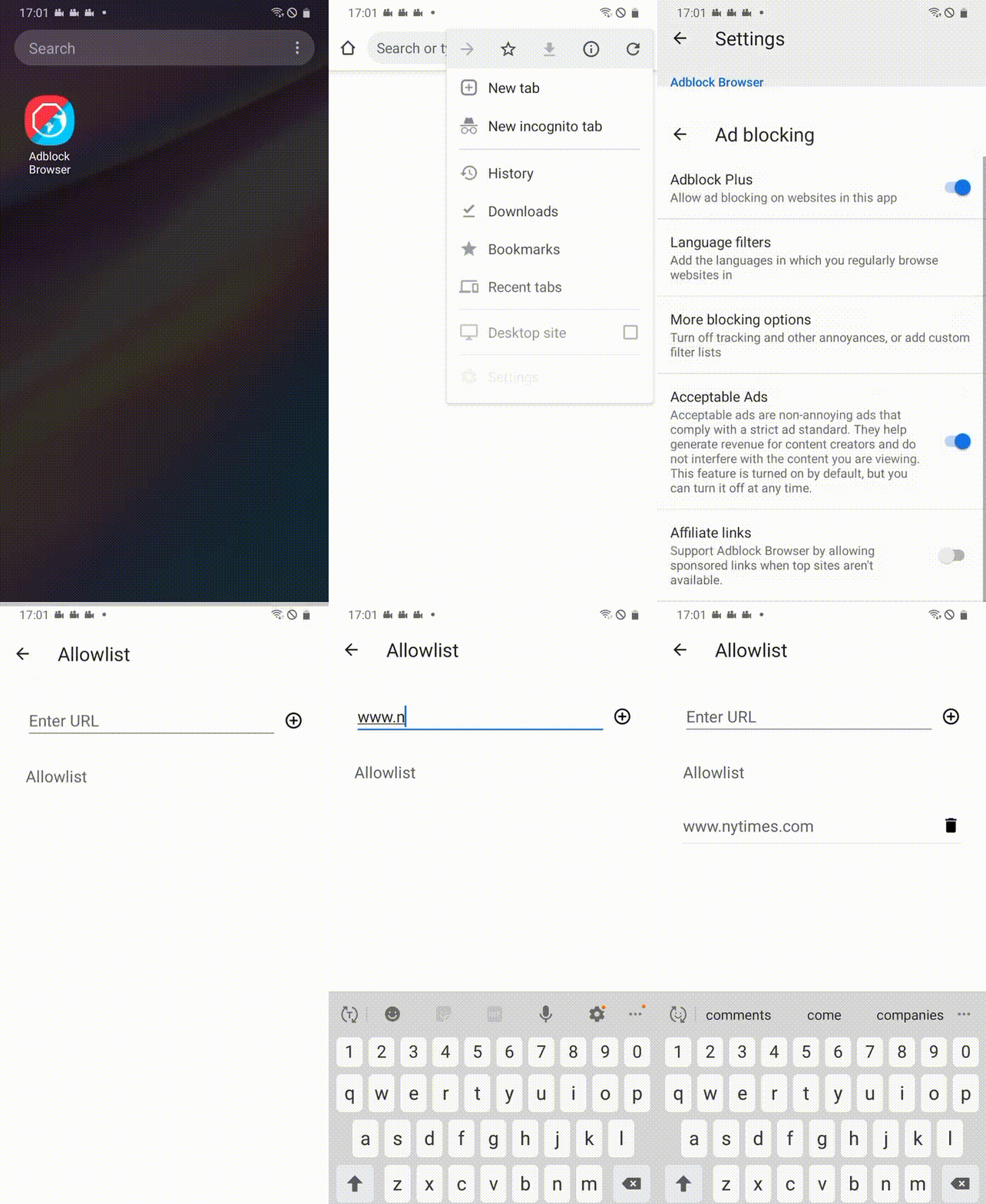

Do you want to support a particular site by allowing ads? Add or remove a site using the instructions below.
Add a site to your allowlist:
Important: All ads, including those that do not adhere to the Acceptable Ads criteria, will be shown on allowlisted websites.
-
Open the Adblock Browser app.
-
Tap the Android menu icon and select Settings.
-
Tap Ad blocking.
-
Tap Allowlist.
-
Enter the website URL and tap the + icon.
Remove a website from your allowlist:
-
Open the Adblock Browser app.
-
Tap the Android menu icon and select Settings.
-
Tap Ad blocking.
-
Tap Allowlist.
-
Click the trash can icon to the right of the URL you want to remove.